Your meeting companion for Mac

Focus on the conversation.
Tagalong captures the rest.

A real notepad for your meetings, with AI to help you make more of them. Record and transcribe, keep your own notes, find the big ideas, and turn the conversation into clear next steps.

macOS 15+ · Apple silicon & Intel · Choose your plan

Live transcriptionNotes, summaries & visual notesYour files on your Mac

SEE TAGALONG IN ACTION

Your notes. The whole conversation.

Watch a meeting come together.
Pause or jump in whenever you like.

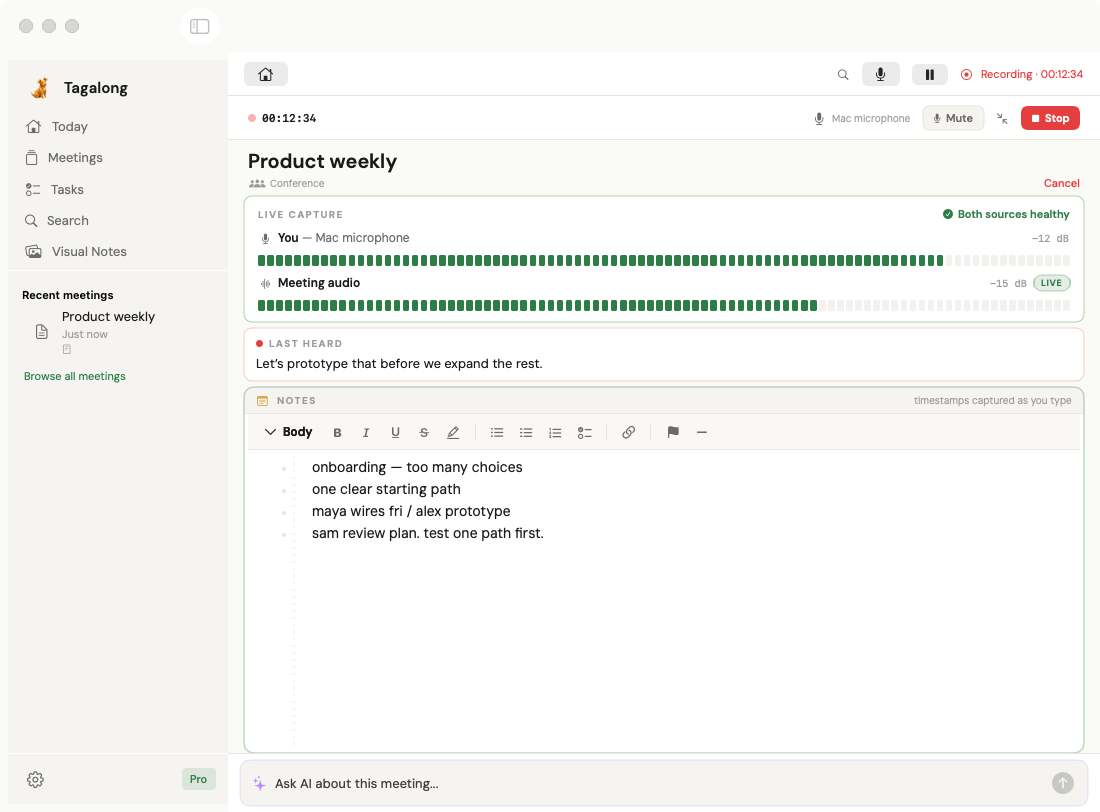
Tagalong’s native record view with fictional Product weekly meeting content.

Capture the conversation. Keep your own notes.

Microphone and meeting audio sit alongside your timestamped notes. Live transcription helps you follow along.

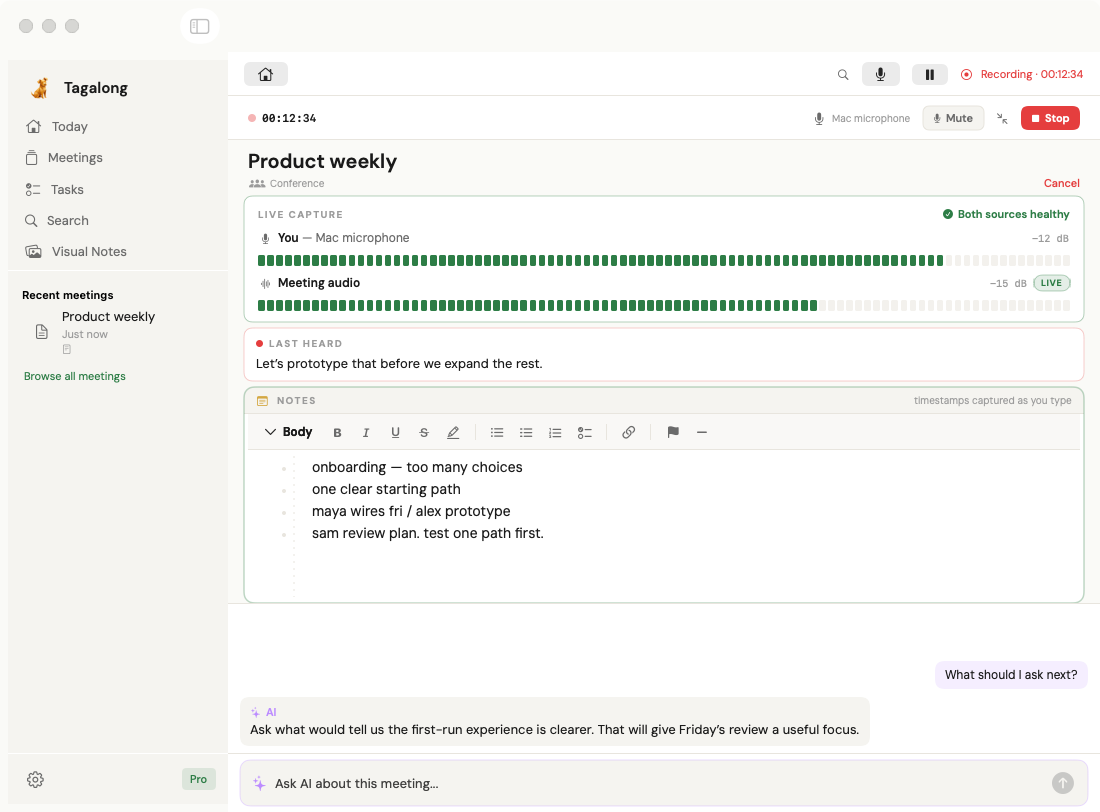
Tagalong’s native live ai view with fictional Product weekly meeting content.

A useful question, while it still matters.

Ask what to explore next while the meeting is happening. AI requests send meeting context to the configured cloud provider.

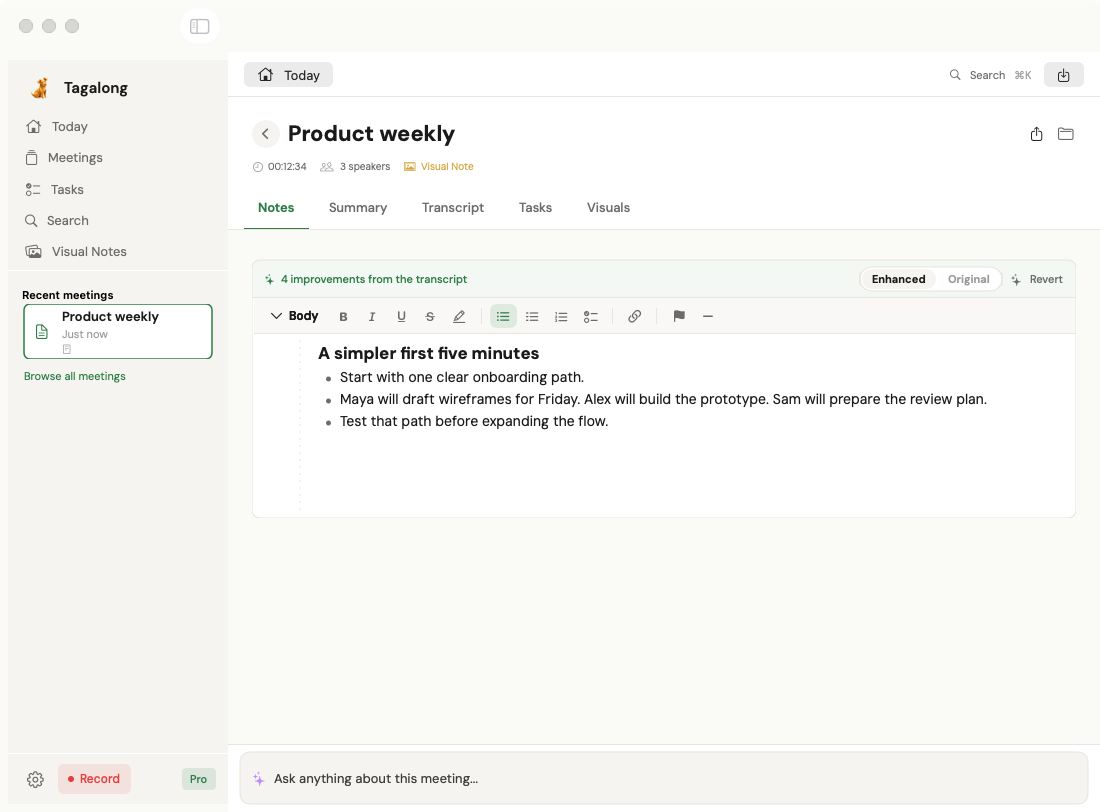
Tagalong’s native enhance notes view with fictional Product weekly meeting content.

Your thinking, with the missing details filled in.

Enhance your shorthand using the transcript, and keep your original notes available.

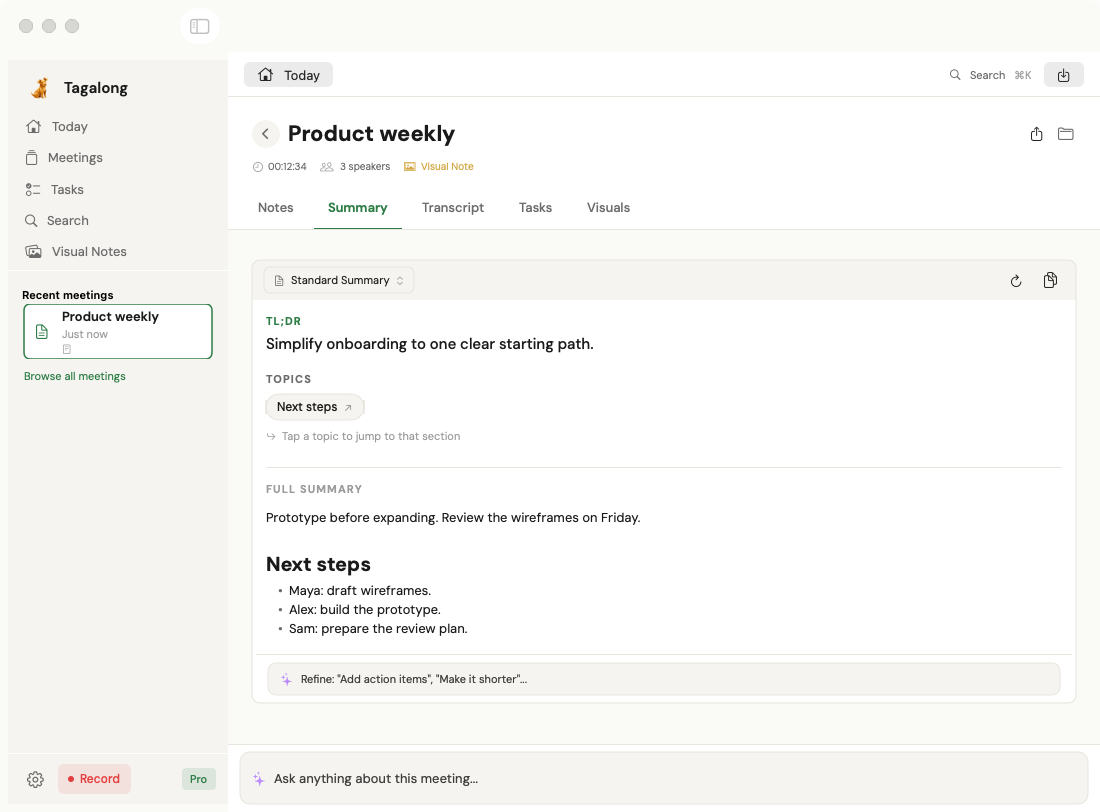
Tagalong’s native summary view with fictional Product weekly meeting content.

Leave with the decisions made clear.

A meeting summary brings the main ideas, decisions, and next steps together.

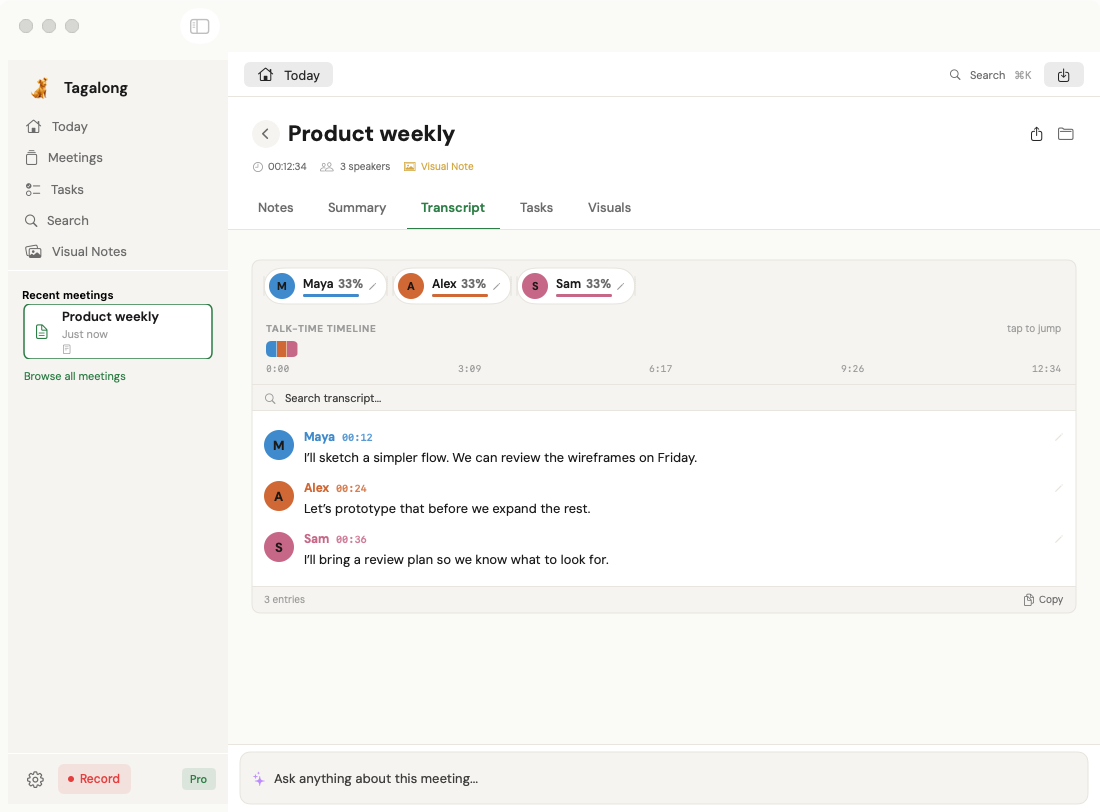
Tagalong’s native speakers view with fictional Product weekly meeting content.

Come back to exactly who said what.

Post-meeting processing identifies speakers. Edit their names and revisit the labeled transcript.

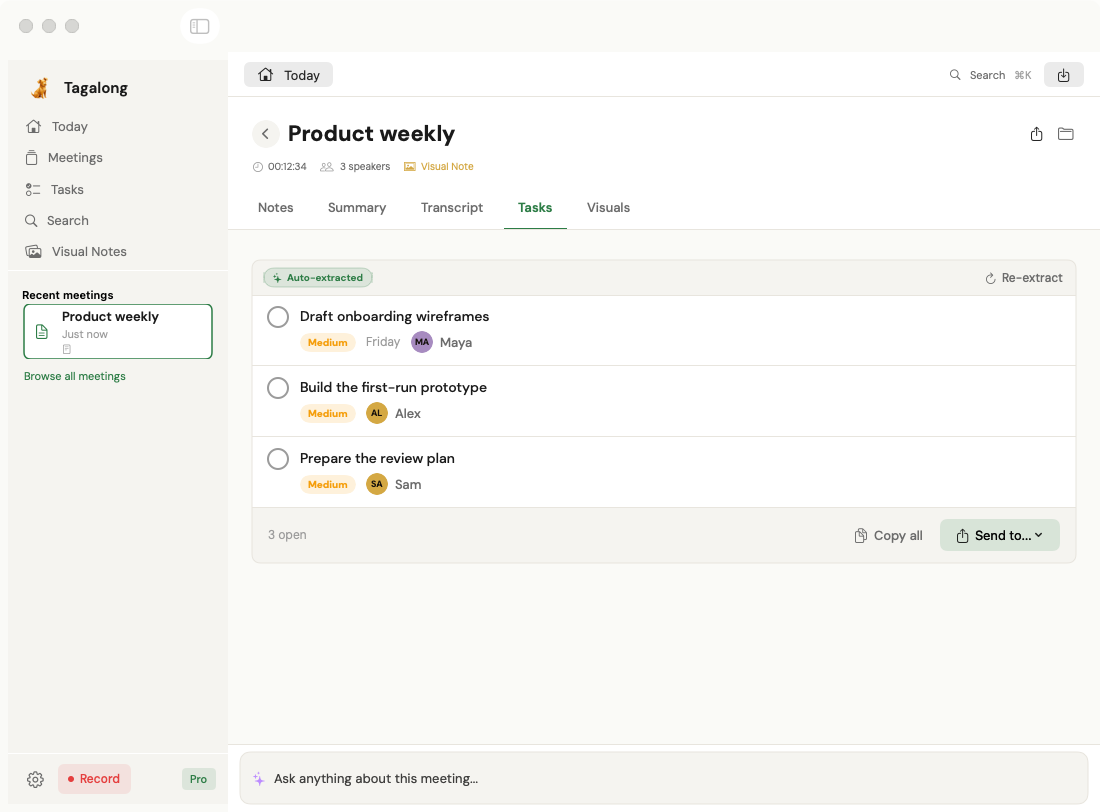
Tagalong’s native tasks view with fictional Product weekly meeting content.

Turn the follow-up into something you can do.

Review automatically extracted actions and choose which tasks to export. Exports create tasks; they do not synchronize changes back.

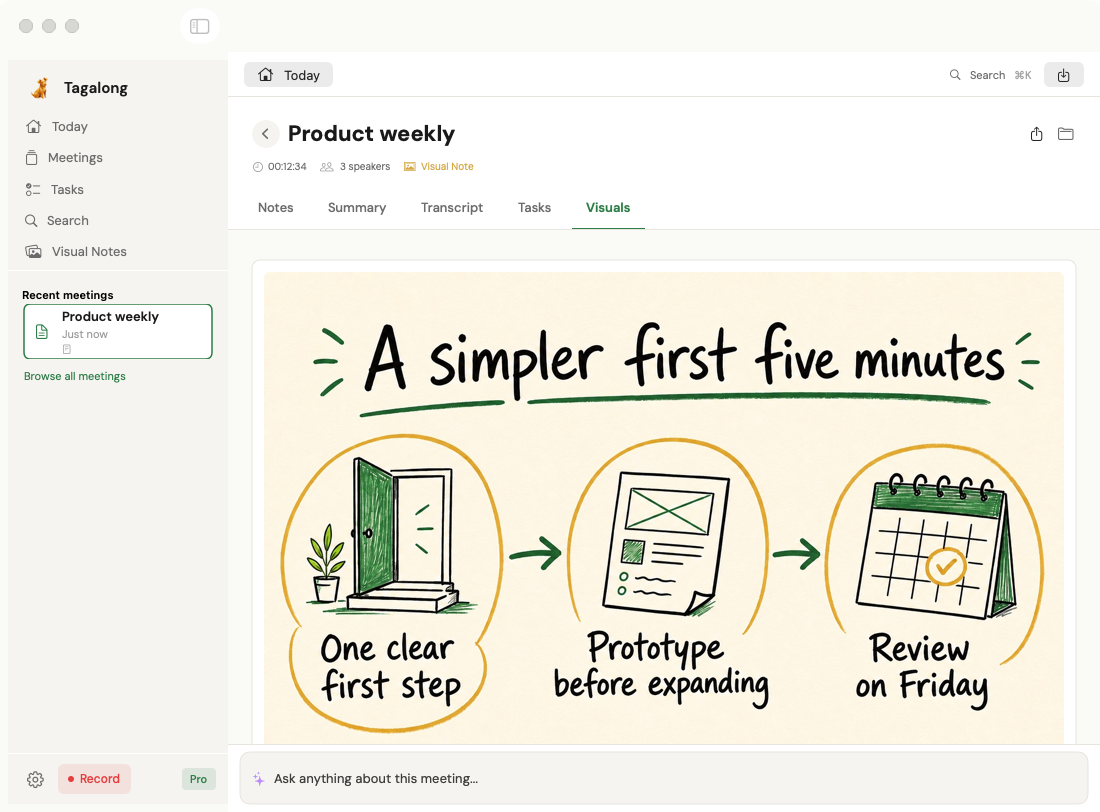
Tagalong’s native visual notes view with fictional Product weekly meeting content.

See the shape of the conversation.

A visual note makes the big idea easier to revisit. The artwork shown here is an illustrative synthetic example.

Animated native app views · Captured from v3.4 preview · Fictional meeting contentFeature availability ↗

MORE THAN A TRANSCRIPT

The conversation is just
the beginning.

From the first word to the next decision,
keep your thinking connected.

01 DURING

Room to listen.
Help when you need it.

Record your mic or conference audio, follow the live text, and jot down the things that matter to you. Ask AI to clarify a point or help shape your next question.

  • Recording & live transcription
  • Personal notes alongside the conversation
  • AI assistance with meeting context
02 AFTER

A clear record.
A useful next step.

Revisit a speaker-labeled transcript, edit names, and bring structure to the conversation with summaries, decisions, enhanced notes, and extracted action items.

  • Speaker identification & editable names
  • Summaries & enhanced personal notes
  • Visual notes & action items
03 WHEN YOU NEED IT

Past meetings.
Present thinking.

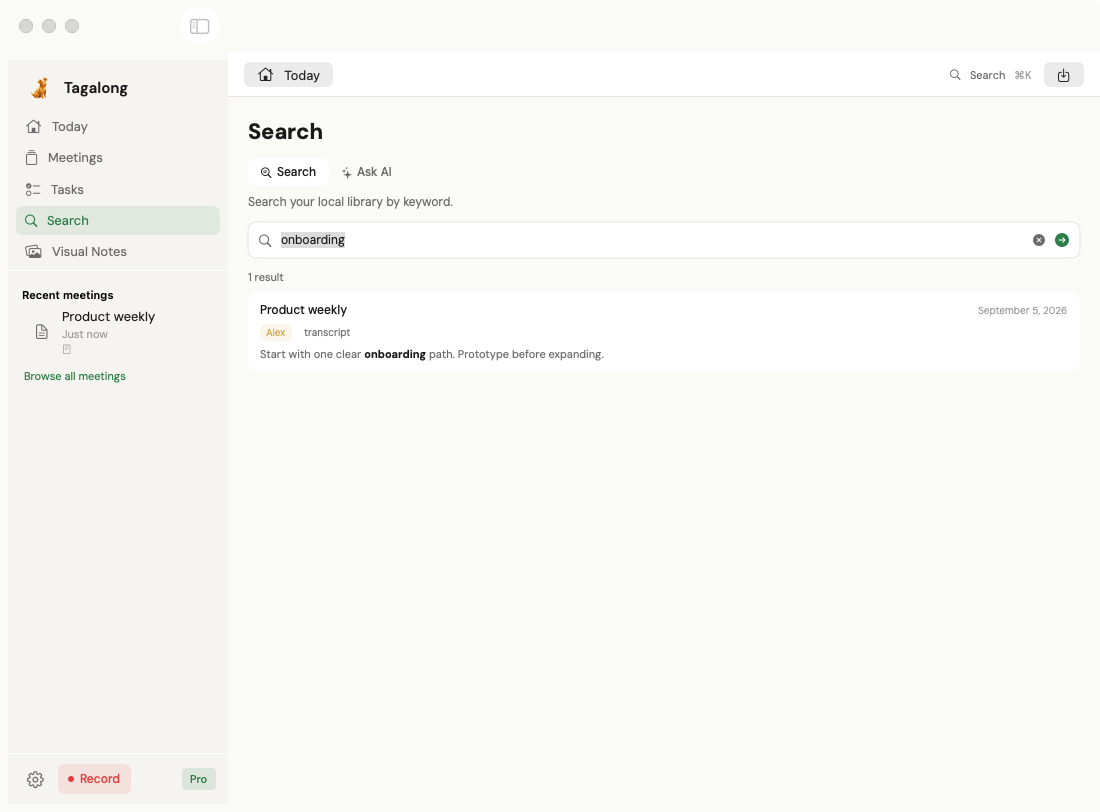
Search your saved meeting library, reopen the details, and ask follow-up questions. Your files stay useful long after the meeting ends.

  • Search across saved meetings
  • Post-meeting AI questions
  • Local files you can revisit & manage

KEEP THE WORK MOVING

From “we should”
to what’s next.

Take useful work out of the meeting.
You choose the tasks, the destination,
and the context you share.

Task export

Your action items.
Your task list.

Automatic extraction gives you a starting point. Review and select the items you want to create in your task manager.

These are one-way exports. Later edits and completion do not synchronize back and forth.

Apple RemindersAvailable
TodoistAvailable
AsanaAvailable
monday.comAvailable

YOUR MEETINGS, WITH YOUR AI TOOLS

Bring the right context.
Keep control of the rest.

Tagalong 3.4.1 includes a Claude Desktop extension and a private ChatGPT setup kit. Enable access to a library folder to make its supported meeting text available for search and retrieval. ChatGPT requires additional setup and remains unvalidated in the live client.

Claude DesktopAvailable

Your meetings inside Claude.

Install the local extension to search meeting text and explore Summary, Tasks, Transcript, and Notes in an interactive workspace.

Setup & sharing details
  1. In Tagalong Settings → Claude & ChatGPT, choose a library folder and enable “Allow AI assistants to read this folder.”
  2. Click Install in Claude. After installation, close the extension popup and use Claude Settings → Extensions → Configure to choose the same folder.
  3. Ask Claude to search Tagalong and show a meeting. Restart Claude if it does not discover the tools.

Current and future supported meeting text in that folder is available for retrieval. Audio and images are excluded; task status is read-only. Retrieved excerpts enter Claude’s conversation. The connector enforces folder access in its code, not through an OS sandbox.

ChatGPTSetup kit

A private MCP tunnel.

This setup requires OpenAI Secure MCP Tunnel, developer-mode access, and tunnel credentials. Your Mac must stay awake with the tunnel running.

Setup requirements & limits

The included kit requires Node.js 20+, the official tunnel client, workspace access, tunnel management/use permissions, and a private runtime API key. It is not a public-directory or universally one-click connection.

The same enabled library folder limits retrieval. Retrieved text enters your ChatGPT conversation. Interactive rendering in ChatGPT has not been validated; saving the kit does not establish a connection.

Folder access includes current and future supported meeting text. Revoking access stops future retrieval; it does not remove text already sent to a provider. Setup guide ↗

LOCAL FILES. DELIBERATE SHARING.

Your Mac is home base.

Your meeting library lives in a folder you control. Cloud services power transcription and AI features. Here’s where the boundaries are.

Saved on your Mac

Transcripts, personal notes, visual notes, and audio you retain are saved as local files. Library search reads meeting text on your Mac.

You choose the folder. A folder in iCloud Drive or another sync service follows that service’s settings.

Sent for processing

Live transcription uses on-device speech recognition where supported, with a cloud fallback. Speaker transcription sends audio for cloud processing after recording.

Summaries, enhanced notes, visual notes, and AI questions send the relevant text or context to AI services. Some processing starts automatically after you stop recording.

Shared by your choice

Task export sends selected task content to the destination you choose. MCP connections retrieve supported text from the library folder you explicitly enable, including future meeting files.

Provider retention and workspace policies apply to shared content. Removing a local file or revoking access does not recall content already sent.

PRICING

Start free. Go further with Pro.

Try Tagalong with five meetings a month.
Upgrade for the full meeting workspace.

Free

Start here

$0/ month

Get a feel for better meeting notes.

  • 5 meetings per month
  • Microphone recording
  • Basic AI summaries
  • Markdown export
  • Editable speaker names
Download free

For your first meetings with Tagalong.

Pro subscription

Managed AI

$9.99/ month

The full workspace, with AI access included.

  • Everything in Free, with unlimited meetings
  • Conference audio & live AI assistance
  • Enhanced notes, summaries & visual notes
  • Meeting search & task export
  • Provider access managed by Tagalong
Get Pro

Choose your subscription in the app.

Private license

Your API keys

$199/ one time

The full workspace, with your own providers.

  • The same released Pro feature set
  • Your OpenAI & AssemblyAI API keys
  • Your Gemini key for visual notes
  • AI requests go directly to your providers
  • Provider usage billed separately
Get a private license

One-time license; API-key setup required.

Prices in USD. Confirm paid-plan totals at checkout. The ChatGPT setup kit requires eligible account access and a private tunnel; its interactive rendering has not been validated.

A CLEAR VIEW OF WHAT’S READY

Available today.
Clear about the limits.

View public release ↗
Public release · v3.4.1

Your meeting workspace, connected

Recording, live transcription, speaker editing, meeting AI, summaries, personal notes, visual-note gallery, local search, task export to Apple Reminders, Todoist, Asana and monday.com, plus the Claude Desktop extension. Feature access depends on plan.

ChatGPT · setup kit

Private connection, additional setup

The kit is included in the release. Developer-mode access, tunnel permissions and credentials are required. ChatGPT interactive rendering has not been validated; this is not a public-directory connector.

A FEW THINGS TO KNOW

Good questions.

Need a hand?
support@tagalongai.com

What’s included in the Free tier?

Free includes five meetings per month, microphone recording, basic AI summaries, Markdown export, and speaker editing. Pro adds the full feature set, including conference audio, AI assistance, enhanced notes, visual notes, search, and task export.

Does a bot join my meetings?

No. Tagalong records from your Mac using microphone or system audio capture. Give participants appropriate notice and get any permission you need before recording.

Does everything run offline?

No. Your saved files and library search are local. Live speech recognition can run on-device where supported, but cloud transcription and AI features send audio or relevant text for processing. See what stays local and what is sent.

Can I keep my own notes?

Yes. Take personal notes during the meeting and enhance them with transcript context afterward. The app preserves the original notes so you can revisit your own wording.

Do exported tasks stay in sync?

No. You select tasks and initiate one-way creation in a destination. Later edits or completion do not synchronize between Tagalong and the task manager. Destination setup and exported fields differ; monday.com currently creates named items without column mapping.

Can I connect Claude or ChatGPT now?

The public v3.4.1 release includes the Claude Desktop extension and a ChatGPT setup kit. Claude supports an interactive meeting workspace. ChatGPT requires a private Secure MCP Tunnel and eligible account setup; its interactive rendering remains unvalidated. Read setup and sharing details.

Which Macs are supported?

Tagalong requires macOS 15 Sequoia or later and supports Apple silicon and Intel Macs. Download the DMG, install the app, and follow the getting-started guide for permissions and plan setup.

FIND YOUR MEETING WORKFLOW

A little context before you choose.

BE THERE. BRING IT ALL BACK.

Make your next meeting
worth coming back to.

macOS 15+ · Your meeting workspace starts here.

Tagalong · Example meeting

Native Mac app view · Fictional content. Scroll sideways to explore on a small screen.

Tagalong native app preview with a fictional meeting
Illustrative sketchnote about simplifying onboarding

Illustrative AI-generated artwork · Synthetic meeting content